
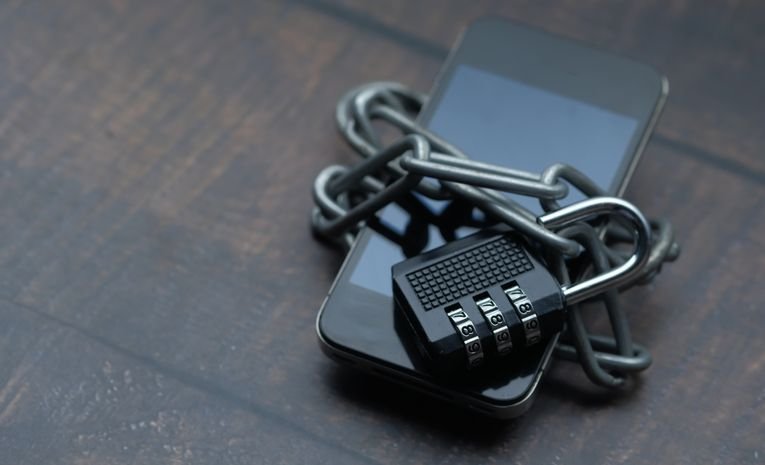
Small businesses are not too small to be worth a cyber criminal’s time. In practice, they are frequently targeted precisely because their defences tend to be lighter than a large organisation’s, while the data they hold, customer records, payment details and financial information, is often just as valuable to an attacker.
This guide covers practical, achievable ways to protect a small business from cyber attacks, without requiring a dedicated IT support team.
Why Small Businesses Are a Common Target
Attackers increasingly use automated tools to scan for vulnerable systems rather than targeting specific companies by name, which means limited security measures, not company size, is often the deciding factor in who gets breached. A smaller business with weak defences can be just as attractive a target as a larger one.
Foundational Protections Every Small Business Needs
How to Run a Cyber Security Check in One Afternoon
You do not need a security team to find out where your business stands. Set aside one afternoon, work through the checks below in order, and write down what you find. Start with accounts: list every important login your business uses, from email and banking to cloud storage and your website admin, and check that each one has a unique password and multi-factor authentication switched on. Any shared login, such as a single email password known by three members of staff, should be split into separate accounts or protected with a password manager, since a shared password cannot be revoked when one person leaves.
Next, check your devices and backups. Make sure every computer, laptop and phone used for work is running current software with automatic updates switched on, and confirm that your backups actually exist by restoring one file from them. A backup that has never been tested is a hope, not a protection. Then look at your people and your paperwork: ask staff how they would spot a phishing email, check who can access your most sensitive data, and confirm that leavers have their access removed promptly. Finish by writing down the three weakest points you found and fixing the worst one that week. Repeat the check every three months, and again whenever you add a new system, take on a new member of staff, or suffer any kind of incident.
| Check | How often | What good looks like |
|—|—|—|
| Unique passwords and multi-factor authentication on all key accounts | Every three months | No shared logins, no reused passwords |
| Software updates on every work device | Automatic, checked monthly | No device more than a month behind |
| Backup restore test | Every three months | One file restored successfully |
| Access review when staff join or leave | Every time | Leavers lose access on their last day |
Keep Software and Systems Updated
Software updates frequently include security patches for known vulnerabilities. Devices and systems that are not regularly updated, including less obvious ones like a Wi-Fi router’s firmware, remain exposed to attacks that a simple update would have prevented.
Use Strong, Unique Passwords
Weak or reused passwords remain one of the most common entry points for attackers. A clear password policy, combined with a password manager, makes strong unique passwords realistic to maintain across a whole team.
Enable Multi-Factor Authentication
Requiring a second verification step for anyone accessing your network or business systems significantly reduces the risk that a stolen password alone is enough to breach your accounts.
Install and Maintain Antivirus Software
All business devices should run antivirus and antispyware software, ideally configured to update automatically, since manually remembering to update security software consistently is where many small businesses fall behind.
Protecting Your Data
Backups are only half the job, so read our guide to business document storage, digital vs physical, and keep a copy your team can reach if the worst happens.
Encrypt Sensitive Information
Encrypting financial records, client data and login credentials, both while stored and while being transmitted, makes stolen data far less useful to an attacker even if a breach occurs.
Back Up Data Regularly and Separately
Regular backups stored on a drive or server not connected to your main network protect against ransomware, since attackers cannot encrypt or hold data hostage that they cannot reach.
Limit Access to What Each Person Needs
Not every employee needs access to every system or file. Limiting access based on role reduces how much damage a single compromised account can cause.
Protecting Your People
Should You Get Cyber Essentials Certified?
Cyber Essentials is a UK government-backed scheme that sets out five technical controls: firewalls, secure configuration, security update management, user access control and malware protection. The government's Cyber Security Breaches Survey 2025/2026 found that 43% of UK businesses identified a breach or attack in the previous year, yet only 5% hold Cyber Essentials, which suggests many small businesses have not yet taken this step. Certification is not a guarantee against every attack, and it does not replace backups, staff training or an incident plan, but it does prove to customers, suppliers and insurers that the basics are in place.
For most small businesses, the standard self-assessed certificate is the sensible starting point. You complete a questionnaire about your systems, and an assessor checks your answers. Prices start from around £320 plus VAT, according to published guidance, so check the current price before you budget. The certificate lasts twelve months, and cloud services used by your business are included in scope, which means staff phones and cloud storage count as well as office computers. The audited version, Cyber Essentials Plus, adds independent technical testing and costs more, so it usually suits businesses whose customers or contracts demand it. If a customer, a framework or an insurer has asked you about Cyber Essentials, that is a strong reason to get certified. If nobody has asked, it is still worth doing, since it gives you a clear, short list of what to fix first.
Train Staff to Recognise Phishing
A significant share of successful attacks begin with an employee clicking a malicious link or attachment. Regular, practical training on spotting suspicious emails is one of the highest-value, lowest-cost defences available.
Set Clear Rules for Personal Devices
If employees access company systems from personal phones or laptops, requiring password protection, encryption and basic security apps on those devices closes a gap that is easy to overlook.
Preparing for the Worst Case
Have a Ransomware Response Plan
Knowing in advance how your business would keep operating after a ransomware attack, and who needs to be informed, reduces panic and downtime if it actually happens.
Consider Cyber Insurance
Cyber insurance can help offset the financial impact of a breach, though policies vary considerably, and complements the wider protections covered in our business insurance guide. Understanding exactly what a policy covers, including whether it covers third-party vendor breaches, is worth doing before you need to rely on it.
Comparing Small Business Cybersecurity Priorities
| Protection | Cost | Effort to Implement | Risk It Reduces |
|---|---|---|---|
| Software updates | Low to none | Low | Known, unpatched vulnerabilities |
| Multi-factor authentication | Low | Low to medium | Stolen or weak passwords |
| Offline data backups | Low to medium | Medium | Ransomware and data loss |
| Staff phishing training | Low | Low, ongoing | Human error and social engineering |
| Cyber insurance | Medium | Low | Financial impact of a breach |
What to Do in the First Hour After a Suspected Breach
The first hour after you suspect a breach matters more than the first day, because the actions you take early decide how much damage is done and how much can be recovered. Do not panic, and do not try to fix everything at once. First, contain the problem: disconnect the affected device from the network if you can do so safely, and change the passwords on any accounts you believe may be involved, starting with email, since email access can be used to reset other accounts. Do not delete anything yet, since logs and files may be needed later to understand what happened.
Second, work out what may have been affected. Ask which systems, files and customer details the breach could have touched, and write it down with times and names while the details are fresh. Third, tell the right people: inform whoever is responsible for IT or security in your business, and if personal data may be involved, remember that UK data protection rules require a breach to be reported to the Information Commissioner's Office within 72 hours where there is a risk to individuals, so do not leave that decision until the last minute. Check the current ICO guidance for your situation. Finally, once the immediate problem is contained, write a short note of what happened, what you did, and what you will change, since that record is what turns a bad day into a lesson that actually improves the business.
—
Frequently Asked Questions
Is my small business really a target for cyber criminals?
Yes. Small businesses are frequently targeted precisely because attackers know their defences are often weaker, and automated scanning tools make size largely irrelevant to being found.
What is the single most important cybersecurity step for a small business?
There is no single answer, but keeping software updated and enabling multi-factor authentication are two of the highest-impact, lowest-cost steps most small businesses can take immediately.
How often should employees receive cybersecurity training?
Regular, ongoing training, rather than a single onboarding session, keeps awareness current as phishing tactics continue to evolve.
Is cyber insurance worth it for a small business?
For many small businesses, yes, given how costly a serious breach can be. It is worth comparing exactly what different policies cover, since the details vary significantly between providers.
Final Thoughts
Protecting a small business from cyber attacks does not require an enterprise-level security budget. It comes from a handful of consistent habits, updated software, strong authentication, regular backups and trained staff, layered together so that a single mistake or vulnerability does not lead directly to a serious breach.